
Download Snake Google Maps – free browser snake game, map‑themed arcade
Overview
Snake Google Maps is a lightweight, free‑to‑play browser arcade that reimagines the classic snake formula on a world‑map backdrop. Developed by Google, the game swaps the traditional slithering reptile for a charming train that picks up passengers as it travels across iconic destinations such as Cairo, São Paulo, London, Sydney, San Francisco, Tokyo, and the entire world map. The premise is simple: guide the train using your keyboard’s arrow keys, collect passengers to extend your carriage, and avoid colliding with the map’s borders or your own growing train.
While the core mechanics mirror those of any snake‑style game, the visual twist of moving over real‑world landmarks adds a nostalgic travel vibe that can turn a quick coffee‑break session into a short, entertaining globe‑trotting adventure. The game launches instantly in any modern web browser, requiring no download or installation, which makes it ideal for users looking for a quick distraction without the commitment of installing additional software. Although Snake Google Maps lacks a leaderboard, achievement system, or score‑saving feature, its ease of access, smooth controls, and the novelty of traveling to different cities keep it enjoyable for casual gamers and fans of retro arcade titles.
Whether you’re on a Windows PC, a Mac, a Linux machine, or even a mobile device with a supported browser, the game runs smoothly and adapts to different screen sizes, providing a consistent experience across platforms.
Key Features
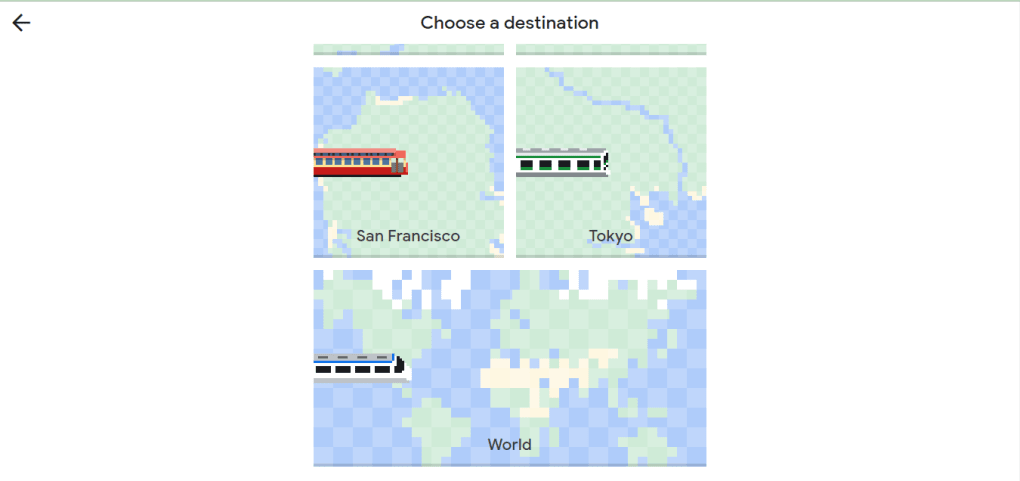
- Map‑Based Gameplay: Play on a stylised Google Map with seven selectable destinations, each featuring a unique train design and local landmarks.
- Simple Controls: Use the arrow keys to steer the train in four directions, mirroring the classic snake controls for instant familiarity.
- Passenger Collection: Pick up passengers to lengthen your train, increasing the challenge as space becomes limited.
- Cross‑Platform Compatibility: Runs in any modern web browser on Windows, macOS, Linux, Android, and iOS without extra plugins.
- Zero Cost & Secure: Completely free, hosted on Google’s secure servers, ensuring a safe and ad‑free experience.
- Instant Load Time: No installation required—just open the URL, choose a destination, and start playing within seconds.
- Tourist Spot Bonuses: Certain landmarks award extra points, adding a subtle layer of strategy to route selection.
Installation, Usage Instructions & Compatibility
Getting started with Snake Google Maps is deliberately frictionless. Follow these steps to dive into the train‑riding fun:
- Open a Supported Browser: Launch Chrome, Firefox, Edge, Safari, or any recent browser that supports HTML5 and JavaScript.
- Navigate to the Game URL: Type or paste the official Snake Google Maps link into the address bar and press Enter.
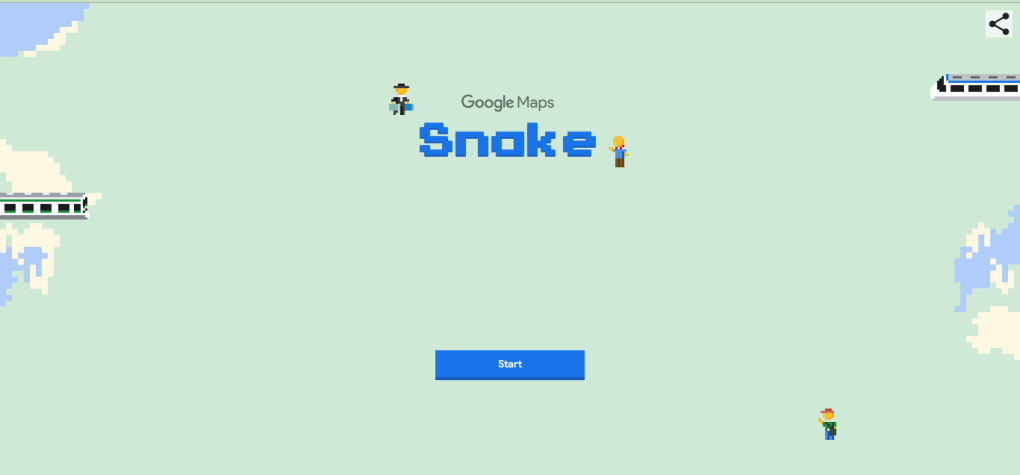
- Select Your Destination: On the start screen, click the “Start Game” button and choose one of the seven available cities or the “World” option. Each choice loads a distinct train sprite and map layout.
- Begin Playing: Use the ↑, ↓, ←, and → arrow keys to guide your train. Collect passengers that appear randomly across the map; each passenger adds a carriage segment, making navigation tighter.
- Avoid Collisions: If the train’s head touches the map’s edge or any part of its own body, the game ends instantly. There is no “pause” function, so stay focused.
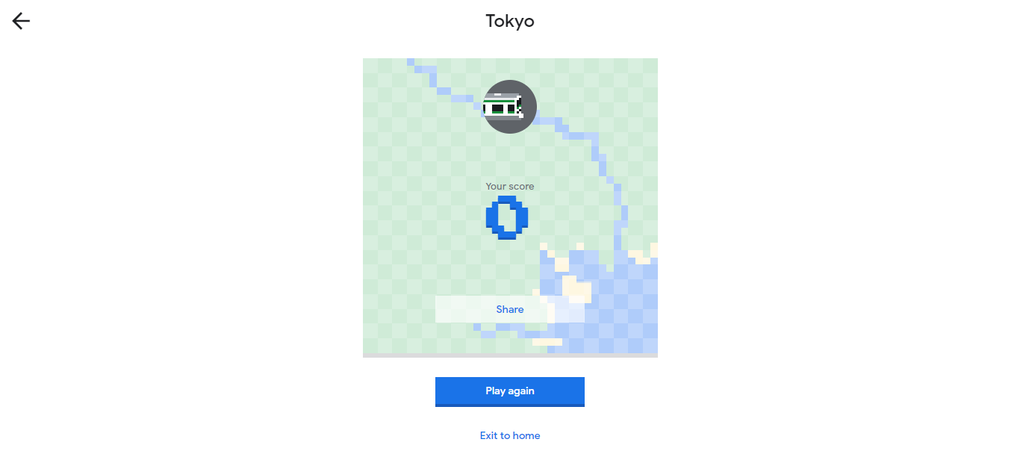
- Replay Anytime: After a game‑over, click “Restart” to pick a new destination or replay the same route for a fresh challenge.
Compatibility: Because the game is browser‑based, it works on all major operating systems, including Windows 10/11, macOS Ventura, Linux distributions with a modern desktop environment, Android 13, and iOS 17. The responsive design ensures that the map scales correctly on tablets and smartphones, though the experience is most comfortable with a keyboard or a virtual D‑pad on mobile devices.
No additional plugins, flash, or Java installations are required. The game relies solely on standard web technologies (HTML5, CSS3, and JavaScript), which are universally supported across modern browsers. For the best performance, keep your browser updated and disable any heavyweight extensions that may interfere with rendering.
Pros & Cons
Pros
- Completely free and hosted on Google’s secure infrastructure.
- Instant play—no download or installation needed.
- Unique visual twist with train‑themed gameplay on real‑world maps.
- Supports multiple operating systems and devices via any modern browser.
- Simple, intuitive controls that anyone familiar with classic snake can master.
Cons
- No leaderboards, achievements, or score‑saving features to encourage competition.
- Gameplay difficulty remains static; there’s no progressive challenge level.
- Limited customization—players can only select destinations, no skin or sound options.
- Absence of a reward system may reduce replay value after a few sessions.
- Graphics are basic; while functional, they lack the polish of dedicated mobile games.
Frequently Asked Questions
Is Snake Google Maps safe to play?
Yes. The game is hosted on Google’s servers, uses HTTPS, and contains no ads or third‑party trackers, making it a secure, privacy‑friendly option for casual gaming.
Can I play Snake Google Maps on my smartphone?
Absolutely. The game is responsive and works in mobile browsers such as Chrome on Android and Safari on iOS. Touch controls mimic the arrow keys, though a physical keyboard offers more precise steering.
Do I need to create an account to save my high scores?
No. Snake Google Maps does not store any user data or scores. Each session is independent, so you’ll need to rely on your memory for personal bests.
What browsers are compatible with the game?
The game runs smoothly on the latest versions of Chrome, Firefox, Edge, Safari, and Opera. Older browsers may experience lag or rendering issues.
Is there any way to increase the difficulty?
Currently, Snake Google Maps does not offer difficulty settings. The challenge comes from the train’s lengthening tail and the static speed of the game, which remains constant across all destinations.
Conclusion – Should You Download Snake Google Maps?
Snake Google Maps delivers a quick, no‑cost distraction that blends nostalgic snake mechanics with a travel‑themed visual flair. Its biggest strengths lie in instant accessibility, cross‑platform support, and a clean, ad‑free environment. If you enjoy retro arcade games and are looking for a lightweight browser‑based title to fill a few idle minutes, this train‑driven twist is worth a try.
However, power users seeking competitive leaderboards, progressive difficulty, or extensive customization may find the experience too simplistic for long‑term engagement. In short, treat it as a pleasant, bite‑sized pastime rather than a deep gaming experience. Click the link below to launch the game directly in your browser—no download required, no registration, just pure, map‑inspired fun.



.png)



